
Sequoia GWAS Query allows you to explore genome-wide association study (GWAS) variant results across one or more selected studies. Search by a gene or genomic region, define the surrounding region to include, and review matching variants in table and visual formats.
Before you begin
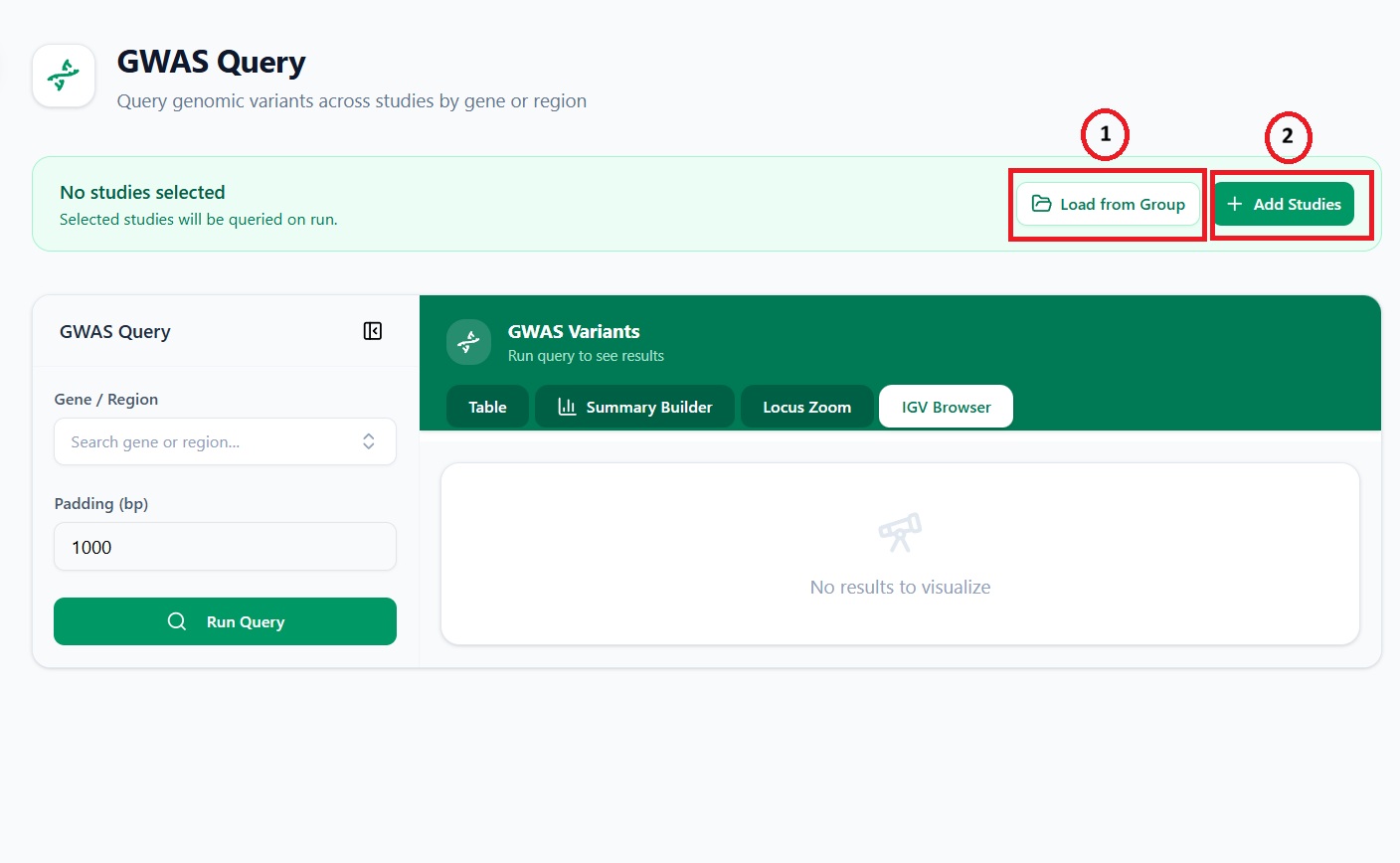
Select at least one study before running a query.
- Select Add Studies to choose individual studies.
- Select Load from Group to load a predefined group of studies.
- The selected studies will be queried when you run the search.
Search by gene or genomic region
In the Gene / Region field, enter the gene symbol or genomic region you want to investigate.
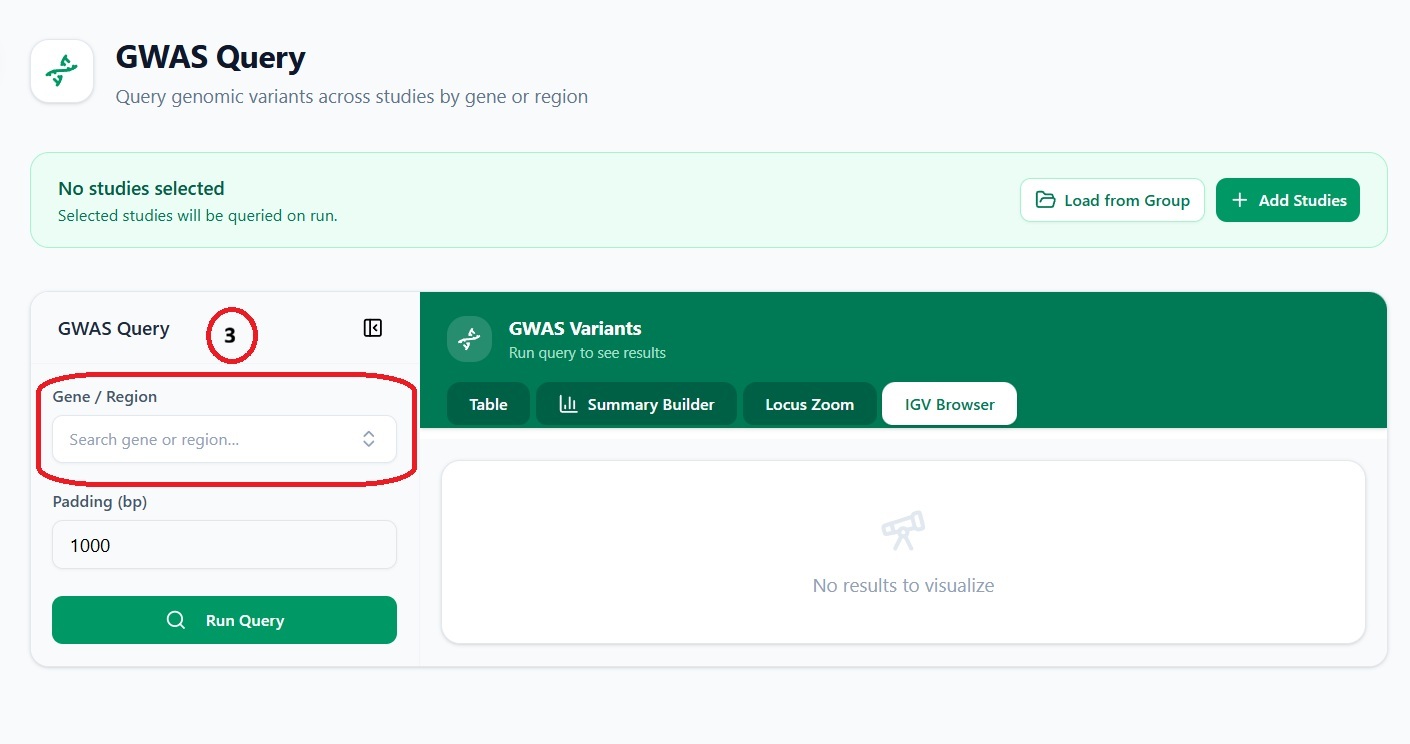
You can search using:
- A gene symbol, for example
APOEorPCSK9 - A genomic region, where supported by the platform
Set the padding
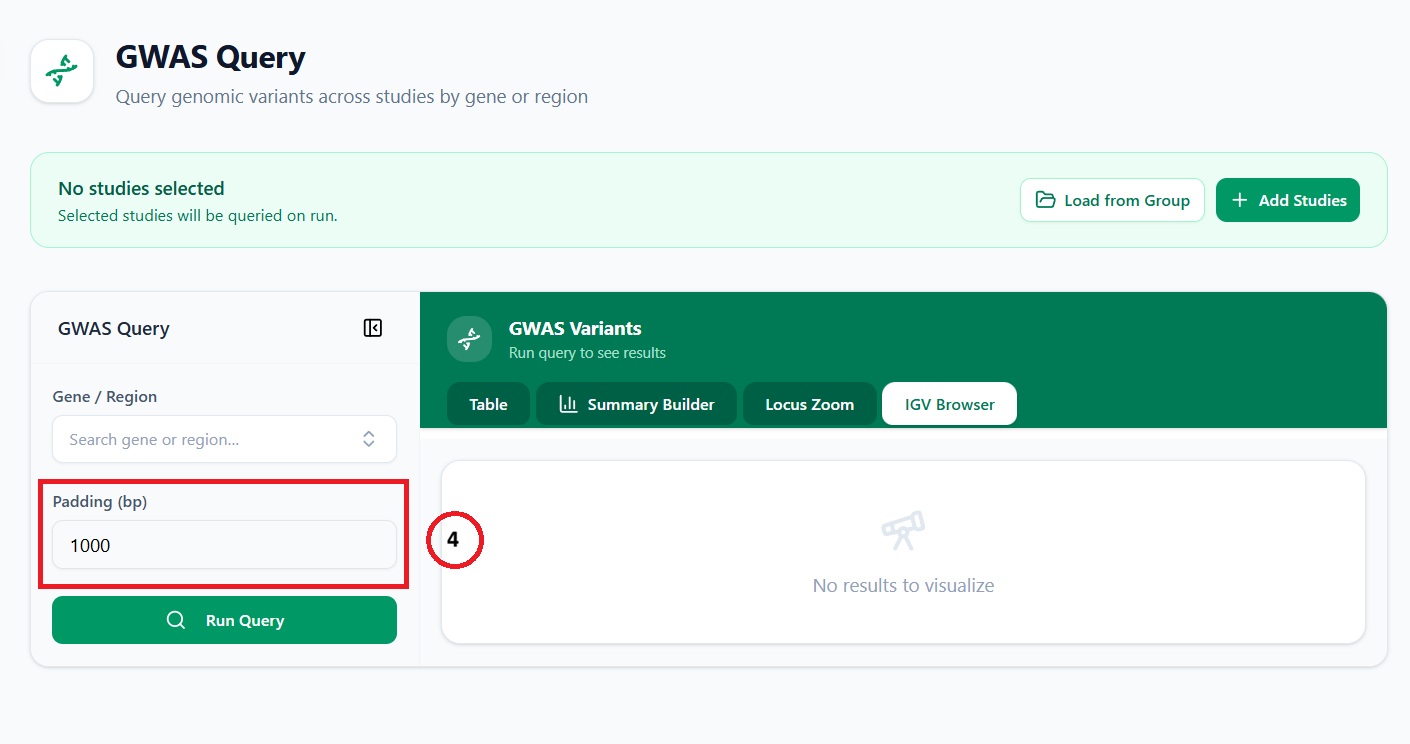
Use Padding (bp) to specify how many base pairs on either side of your selected gene or region should be included in the query.
For example, a padding of 1000 includes variants located up to 1,000 base pairs upstream and downstream of the selected region.
Run the query
After selecting your studies and entering a gene or region, select Run Query.
The portal will retrieve matching GWAS variants from the selected studies.
Review your results
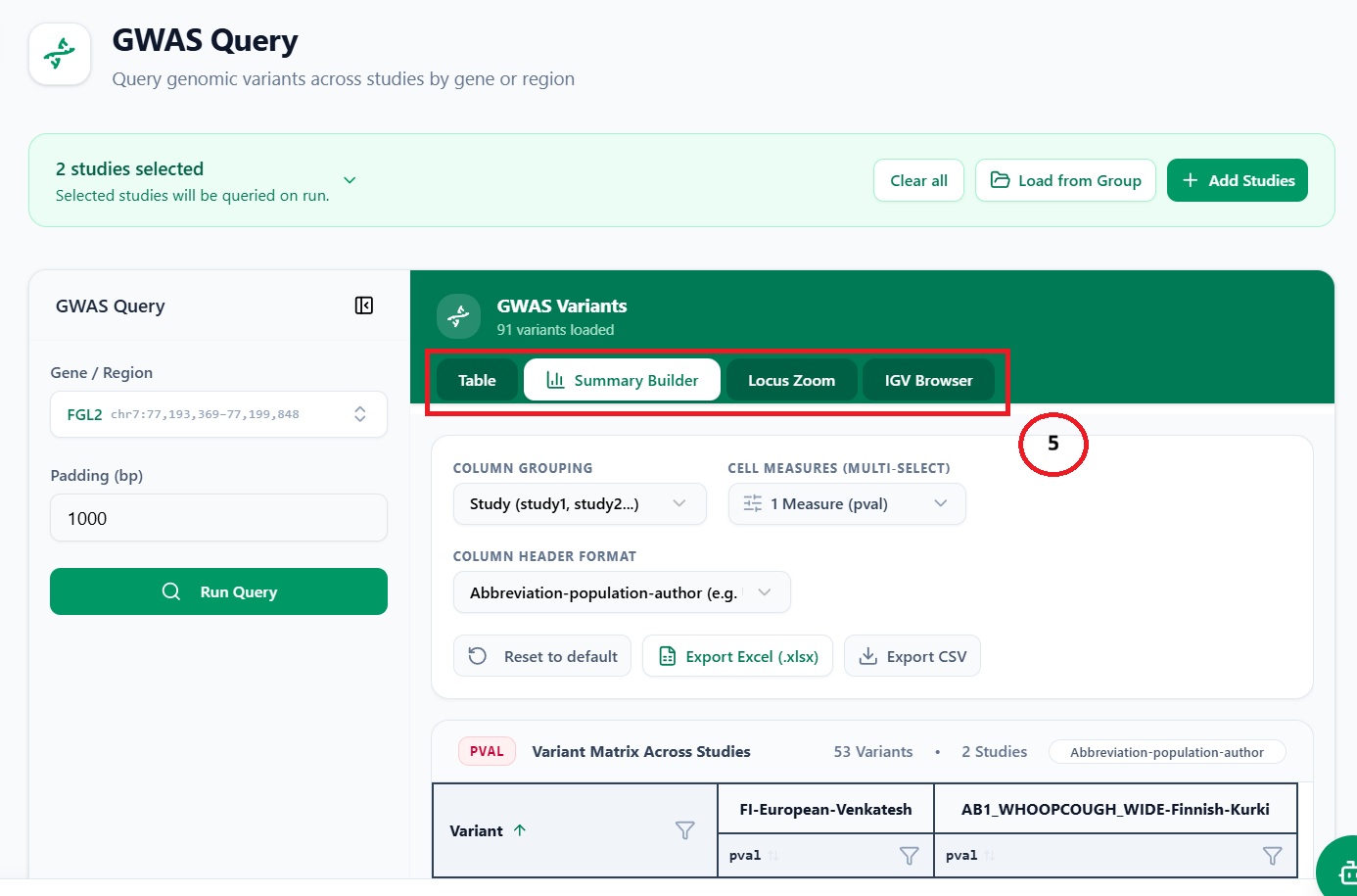
Once the query has run, use the tabs in the GWAS Variants panel to explore the results.
- Table — View the returned variants in a structured table.
- Summary Builder — Create a summary of the query results for review or reporting.
- Locus Zoom — Visualise association signals across the queried genomic region.
- IGV Browser — Inspect the genomic location of returned variants in an interactive genome-browser view.
Tips
- Use a smaller padding value to focus on variants closest to a gene or locus.
- Increase the padding value when you want to examine nearby regulatory regions or neighbouring variants.
- If no results are returned, confirm that studies have been selected and check the gene symbol or genomic-region format.