
X-axis mode
Determines axis scale and reference line position. Applying the wrong mode to an effect estimate type produces a visually plausible but incorrect plot.
| Mode | Reference line |
|---|---|
| Beta — Normal Distribution | x = 0 |
| Odds Ratio — Log Distribution | x = 1 |
X-axis scale
Controls whether the x-axis renders on a linear or logarithmic scale. Scale is user selectable.
| Mode | Recommended scale |
|---|---|
| Beta — Normal Distribution | Linear |
| Odds Ratio — Log Distribution | Log (base 10) |
An incorrect scale applied to the effect estimate type produces a visually plausible but statistically misleading plot. Log scale is required for odds ratios to render symmetric confidence intervals and equal visual spacing of multiplicative distances from the null.
X-axis range
Sets the displayed minimum and maximum of the x-axis.
| Setting | Behavior |
|---|---|
| Auto | Axis bounds are computed from the data: minimum lower CI bound to maximum upper CI bound, with a margin. Applied by default on file load. |
| Manual | User-specified minimum and maximum values. Use to standardize axis range across multiple plots for visual comparison, or to suppress outlier CI values that compress the main plot area. |
Visible elements
Toggles for individual axis. Disabling elements that are not meaningful for a given dataset reduces visual noise without affecting axis configuration or data display.
| Element | Effect when enabled |
|---|---|
| X-axis line | Draws a horizontal baseline at the x-axis position |
| X-axis tick marks | Displays tick marks at axis intervals |
| X-axis tick labels | Displays numeric values at tick positions |
| Y-axis line | Draws a vertical line along the y-axis |
Reference line
The reference line (i.e. null line) is a vertical line positioned at x = 0 (Beta mode) or x = 1 (OR mode), corresponding to the X-axis mode selection. User can specify the vertical line position, and the line style can change to solid / dashed / dotted.
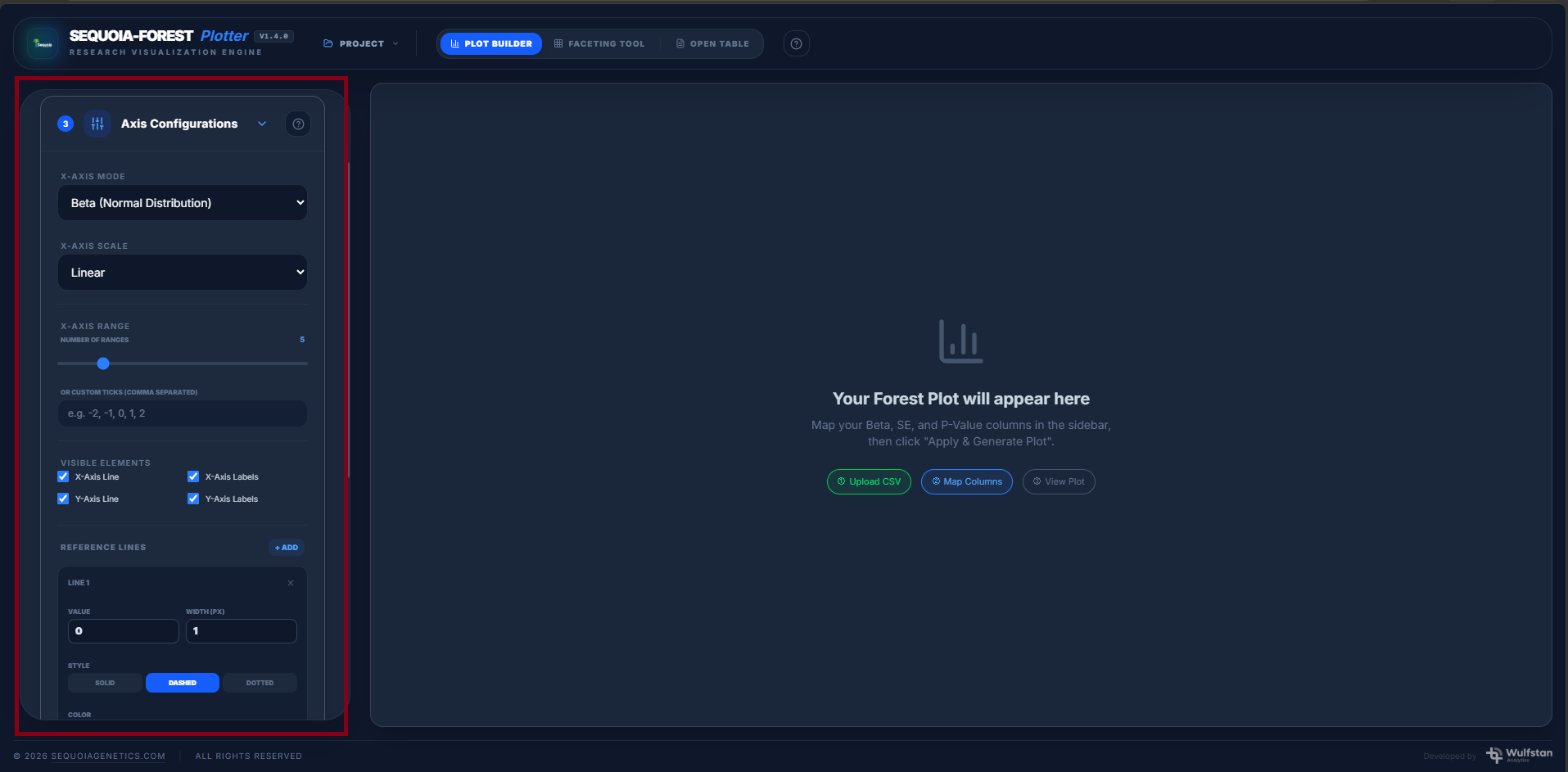
SCREENSHOT: Axis configuration panel with X-axis mode, scale, range and option for reference line integration.